


Most distributed systems still ship software the old way: someone with credentials pushes a binary onto every box. That works when you own every host. It falls apart the moment a node sits on someone else’s network, behind a slow uplink, or under an operator who should never receive your deploy keys.
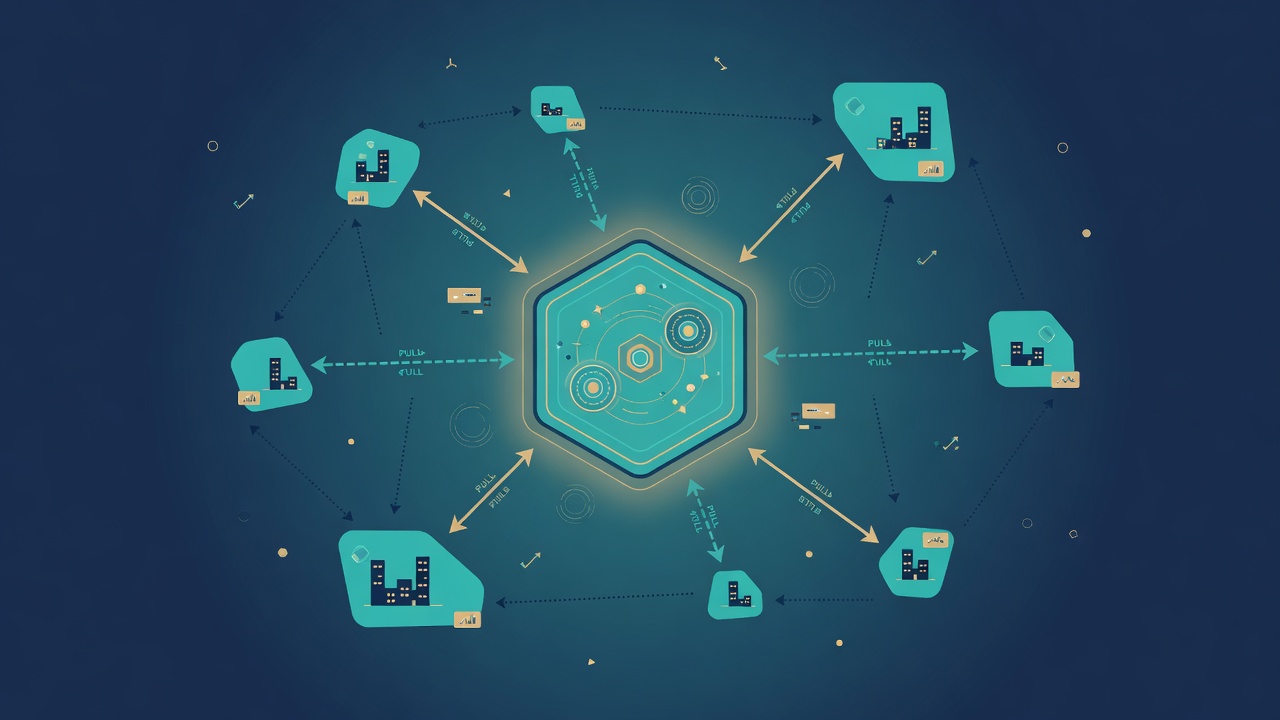
On PolitiCap — 3DN’s political market platform — regional exchange nodes (an ECN, electronic communication network) run in different cities and countries. Some of those hosts are ours. Some may not be. So we flipped the default: nodes pull; the hub never pushes.
This article is the engineering story of that pull fabric: software, TLS certificates, database schema, market catalog, and trade batches — plus the communication graphs that keep production honest.
The rule in one sentence
If a machine is not fully under 3DN control, the hub must not open a shell to it. The node authenticates outward, asks what changed, and applies updates on its own schedule. That is digital sovereignty for infrastructure: each region keeps the keys to its own door.
Five loops, not one fat updater
Each regional API process is ordinary managed hosting compute: one service, one public face for its city. Inside it, five background loops run alongside HTTP — concurrent work units (goroutines in Go), not a nightly “deploy window.”
- Hello — periodic authenticated ping so the hub knows the node is alive and which software build it runs.
- Binary pull — if the hub advertises a newer artifact, download beside the running binary, verify a cryptographic hash, atomic swap, then replace the process in place.
- Certificate pull — fetch the hostname’s TLS pair from a hub-side store when fingerprints diverge or expiry nears.
- Catalog delta — incremental ticker and composite rows (not a full database dump).
- Trade batch — local fills land in an outbox table; the node posts batches to the hub. Idempotent keys prevent double-ingest. No holdings replay — fill facts only.
Schema migrations ride with the binary: on process start the node applies any pending expand-only SQL it carries. The hub can also describe schema versions over the API; the durable rule is still “ship schema with software,” not “push SQL into a stranger’s database.”
Why pull survives slow links
One of our edge nodes sits on a distant VPS with a leisurely path back to the hub. A two-minute HTTP timeout looked fine on the LAN and failed every time on that uplink. The fix was not “try harder from the hub.” It was:
- Separate the tiny version check (short timeout) from the bulk download (no overall body timeout — only a header timeout so a dead hub fails fast).
- Gzip on the wire so the payload is smaller; hash is still of the raw artifact.
- Stage next to the running binary (not a random temp directory), so operators can watch a real path during a long transfer — and the staging file disappears after success or failed verification.
- Retry failed pulls in minutes, not once an hour.
When a node is ours, we may still seed the first binary by hand. After that, the same pull loop keeps it current. Unowned or semi-owned hosts never see a push channel at all.
What the hub actually stores
The hub is not a magical CD pipeline aimed at the world. It is a small, boring store:
- A version stamp and platform-specific binaries for nodes to fetch.
- A certificate store filled by our normal issuance flow — nodes pull their own hostname material.
- MariaDB tables for last hello, reported software version, schema watermark, catalog generation, and an archive of syndicated fills.
Ops visibility goes to a metrics dashboard: which hostname is running which build, whether it is behind the hub latest, and when it last said hello. High-availability hub replicas used to double-count the same city until we rebuilt gauges from the database instead of “whatever this process last saw.”
Why this fits 3DN
3DN sells infrastructure and managed hosting with a bias toward operators who want control without chaos. The same bias shows up inside the 3DN family products — work · money · politics — where PolitiCap is the politics leg. Regional markets only stay trustworthy if update paths are explicit, auditable, and safe on links we do not fully own.
We build that path in the open engineering sense: GitLab-tracked changes, expand-only migrations, hash-verified artifacts, and pull-only policy for unowned nodes. No romance about zero-touch magic. Just production habits that survive a slow VPS and a multi-city map.
Takeaways
- Pull is a security boundary, not a fashion. If you cannot trust the host, do not push to it.
- Split the clocks: software version, schema version, and catalog generation are different things. Mixing them forces full dumps or broken upgrades.
- Slow WAN is a requirement, not an edge case. Timeouts belong on the control plane probe, not on the multi-megabyte body.
- Batch what you can: trade outboxes and catalog deltas keep chatter small and retries safe.
- Observe from durable state: metrics that only live in process memory lie the moment you have two hub replicas.
If you run multi-region APIs on 3DN compute — or you are designing your own ECN-style edges — start from the communication graph, not from the deploy script. The arrows tell you who is allowed to speak first.

Leave a Reply